Authorizing staff: The Netway is public, so anyone on the Netway can view your program. All programs should be considered to be works in progress, and it’s a professional courtesy to always recognize that program models may never be finalized. However, collaborating with others on your model and evaluation planning is a key benefit of doing this on the Netway. In order for some to be able to edit or contribute to your model, they must be listed as an authorized person on your program. It is essential that you keep in mind that giving someone the power to edit your program gives them also the power to delete it, or to remove you from the authroized persons list – therefore only add people that you trust.
Obviously, people must have an account in The Netway before you can authorize them. In order to authorize them, simply click “add authorized person”
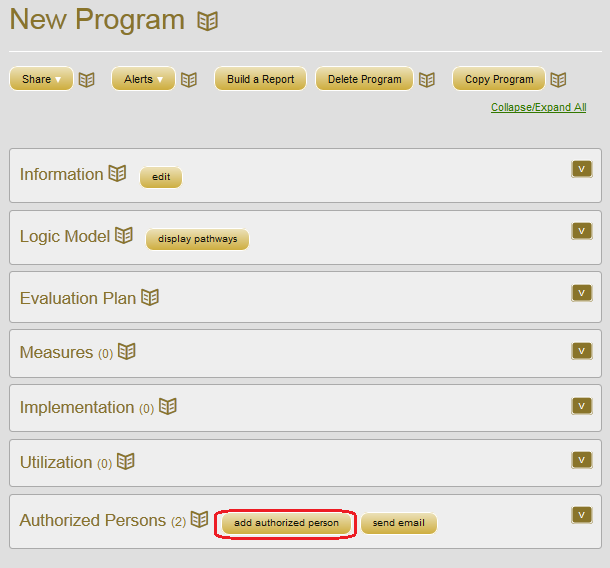
Enter their first and/or last name, and users that match will appear. Emails are shown so that you can confirm you have the correct person. Click on “Authorize” and you are done.
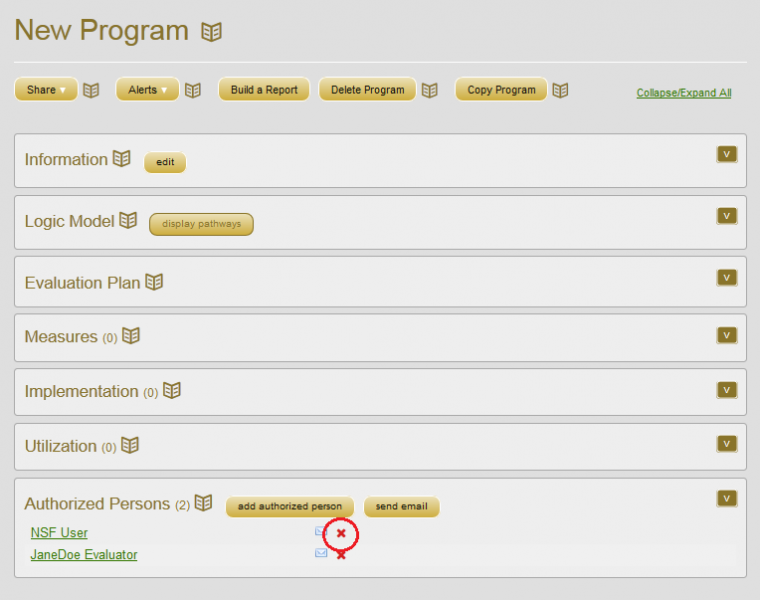
To remove them, simply click on “Authorized Persons” to open the list of people who can edit the program, and click the red X to remove them from this program.
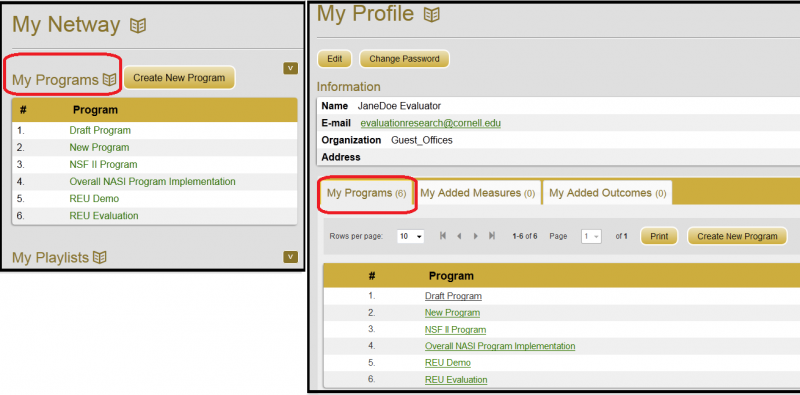
You can find out which programs you are authorized, and access them, on your “My Netway” or your “My Profile” pages.
You can create playlists of programs you access frequently.
Q&A
Q: How can I find programs I'm authorized to edit?
You can view all programs in the Netway, but you can only edit those you are authorized on. Your programs are listed on “My Netway” under “My Programs”, and also on “My Profile” in the middle of the page.