Welcome to the Resources and Help section.
To access resources or help – click on the “help” link at the top of the page (which opens into a new page), or on one of the Resources from the main navigation or on a book icon to the right of a heading (which opens into a pop-up box) (see image below).

There are two books to assist you in your evaluation, Navigate between these two books by using the tabs at the top of the page. These links bring you to the top level of each book. Or search the books for help-specific topics (this search searches only the help system, not the programs in the Netway cyberinfrastructure). To close this pop-up section, click on the X at the top right.
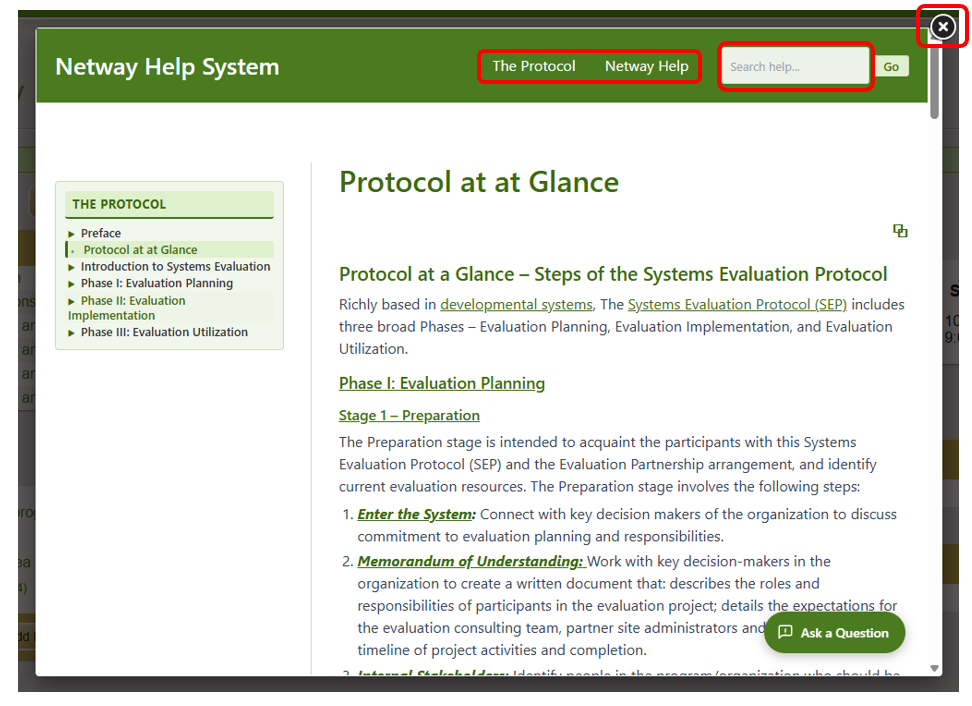
- Protocol – This is the guide to the Evaluation Protocol. It lays out the steps of evaluation planning and implementation.
- Netway Help – This book focuses simply on how to use the Netway tool.
Navigate each individual book by using the navigation menu down the left hand side of the book.
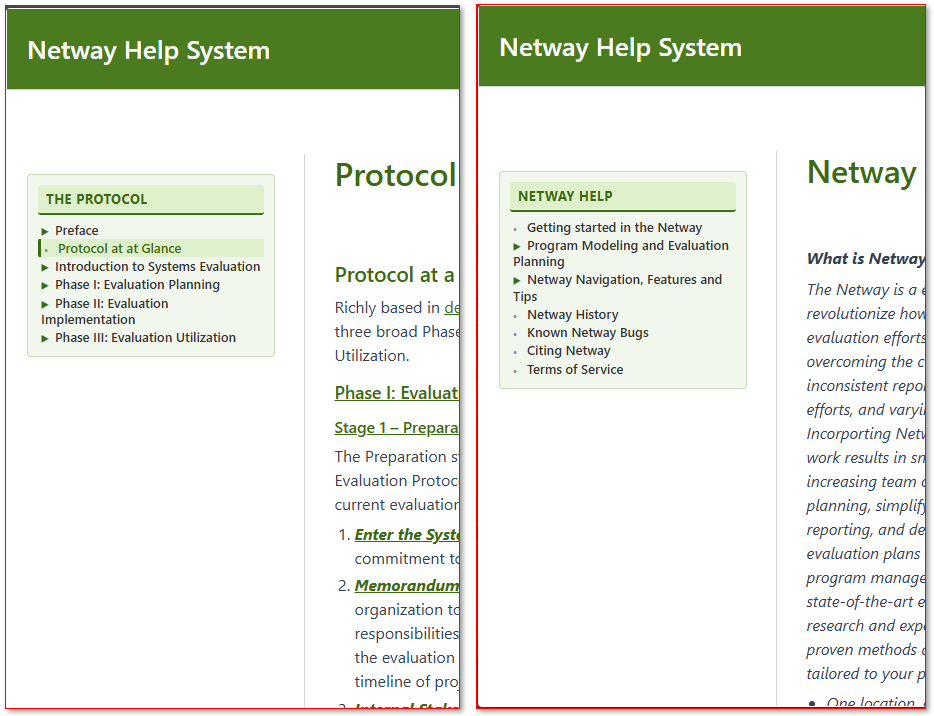
On the right hand navigation bar you will find links to presentations/videos and guiding documents pertinent to the topic of that page (when available). Search the books, presentations and documents through the search at the top right. This search will not search the Netway (the program data) only the Netway Books resources.
! TIP ! The Netway Books default is to open these help resources in a pop-up that covers up your Netway page. Just below and to the right of the title of the pop-up page is a open page icon – click on this to open the books into a new full window so that you may access your Netway programs at the same time you have the books open. ! TIP !