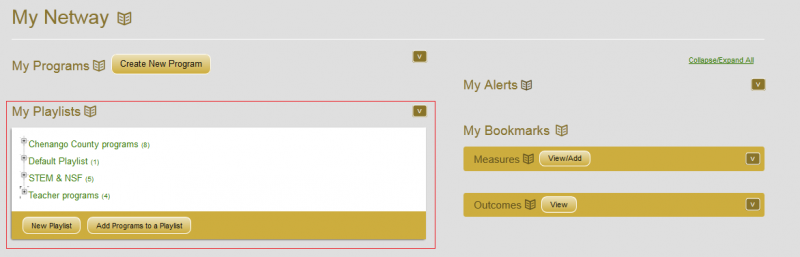
When you click on “My Netway” on the main navigation bar you will go to a page where you can quickly access several items (oulined below). Click on each one to expand or collapse that section (see image, where playlists are expanded).
- On the left hand side:
- “Create New Program”
- A button to easily create a new program (see Creating Programs).
- “My Programs” (see Editing Program Information)
- A list of all the programs you are authorized to edit – if you have more than 10 programs you can determine how many should be shown at a time
- “My Playlists” (Learn more about “Playlists”).
- Think of music playlists – quick groupings of items you may work with together – for quick access and for reporting.
- On the right hand side you will see:
- “My Alerts” (See “Alerts and Sharing“)
- Informs you when someone shares something with you on the Netway.
- “My Bookmarks” (see “Linking Outcomes to Measures”)
- You can bookmark measures that you wish to associate with your programs.
- You can bookmark outcomes of interest (and quickly see which programs may have adopted an outcome).